

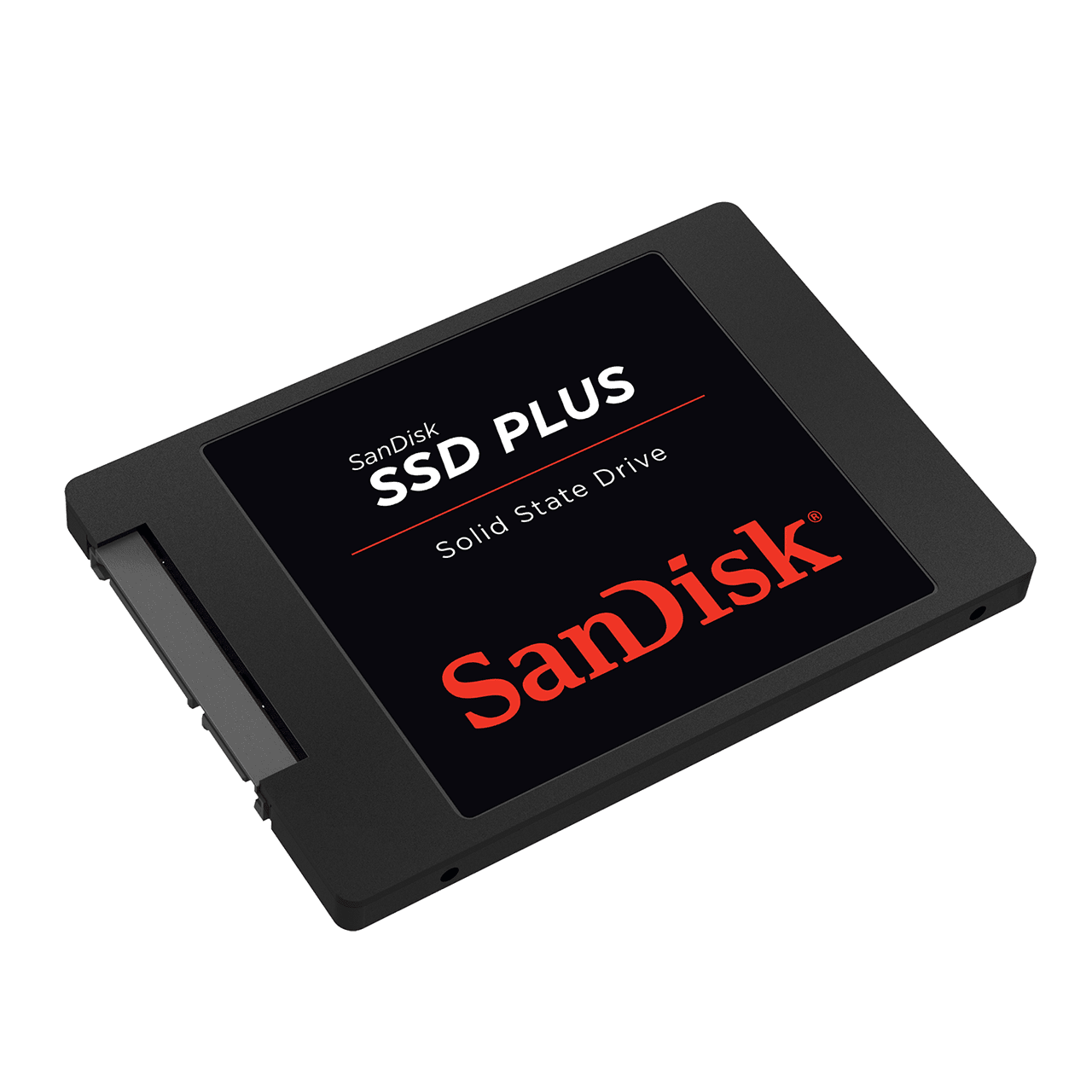
| Feature | SSD | HDD |
| Speed | Extremely Fast | Much Slower |
| Moving Parts | None | Yes |
| Noise | Silent | Audible |
| Durability | High | Lower |
| Power Consumption | Low | Higher |
| Boot Time | Seconds | Minutes |
| Lifespan | Long | Moderate |
| Weight | Lightweight | Heavier |
For most modern applications, SSDs outperform HDDs in nearly every category except cost per terabyte.
⸻
Types of SSDs
SATA SSD
SATA SSDs use the same interface as traditional hard drives.
Typical Speed:
- Up to 550 MB/s
Best For:
- General computing
- Office work
- Budget upgrades
⸻
NVMe SSD
NVMe (Non-Volatile Memory Express) SSDs connect through PCIe lanes and provide dramatically higher performance.
Typical Speed:
- PCIe Gen3: Up to 3,500 MB/s
- PCIe Gen4: Up to 7,500 MB/s
- PCIe Gen5: Up to 14,000 MB/s+
Best For:
- Gaming
- Video editing
- AI workloads
- Professional applications
⸻
M.2 SSD
M.2 refers to the physical form factor rather than the protocol.
M.2 drives can support:
- SATA
- NVMe PCIe
Common sizes include:
- 2230
- 2242
- 2260
- 2280
- 22110
⸻
U.2 SSD
U.2 SSDs are primarily used in enterprise and server environments.
Advantages:
- Hot-swappable
- High endurance
- Large capacities
Common Applications:
- Data centers
- Cloud infrastructure
- Enterprise storage
⸻
Understanding NAND Flash Technology
NAND flash is the foundation of all SSD storage.
SLC (Single-Level Cell)
- 1 bit per cell
- Highest performance
- Longest lifespan
- Most expensive
MLC (Multi-Level Cell)
- 2 bits per cell
- Good balance of performance and cost
TLC (Triple-Level Cell)
- 3 bits per cell
- Most common consumer SSD technology
QLC (Quad-Level Cell)
- 4 bits per cell
- Highest density
- Lower endurance
- Lower cost per GB
⸻
Why SSDs Are Faster
Several factors contribute to SSD speed:
No Mechanical Components
Unlike HDDs, SSDs do not need to spin disks or move read/write heads.
Parallel Data Processing
Multiple NAND channels allow simultaneous operations.
NVMe Protocol
NVMe was specifically designed for flash storage, reducing latency and increasing throughput.
PCIe Connectivity
Modern SSDs leverage PCIe interfaces for significantly greater bandwidth.
⸻
SSD Capacity Options
Common SSD capacities include:
- 128GB
- 256GB
- 512GB
- 1TB
- 2TB
- 4TB
- 8TB
- 16TB+
Enterprise SSDs can exceed 100TB in a single drive.
⸻
SSD Applications
Personal Computing
SSDs improve:
- System boot times
- Software loading
- File transfers
- Overall responsiveness
Gaming
Benefits include:
- Faster game launches
- Reduced loading screens
- Improved open-world streaming
Content Creation
Professional users rely on SSDs for:
- 4K video editing
- 8K production workflows
- Photography
- Graphic design
Artificial Intelligence
AI workloads require high-speed storage for:
- Model training
- Dataset management
- Inference systems
- GPU data pipelines
Enterprise Data Centers
SSDs support:
- Virtualization
- Cloud computing
- Databases
- High-performance analytics
⸻
SSD Lifespan and Endurance
Modern SSDs are highly durable.
Manufacturers typically rate endurance using:
TBW (Terabytes Written)
The total amount of data that can be written before expected wear.
DWPD (Drive Writes Per Day)
Commonly used for enterprise SSDs.
Most consumer SSDs can last many years under normal usage conditions.
⸻
How to Choose the Best SSD
Consider the following factors:
Performance Requirements
Choose NVMe SSDs for demanding workloads.
Capacity Needs
Estimate storage requirements based on:
- Operating systems
- Applications
- Media files
- Games
- Business data
Budget
SATA SSDs offer excellent value while NVMe SSDs deliver maximum speed.
Endurance
Heavy-write environments should prioritize higher TBW ratings.
Compatibility
Verify support for:
- SATA
- PCIe Gen3
- PCIe Gen4
- PCIe Gen5
- M.2 form factors
⸻
SSD Market Trends in 2026
Several trends are shaping the SSD industry:
- PCIe Gen5 adoption is accelerating.
- AI infrastructure demand is increasing SSD deployment.
- Enterprise capacities continue to grow.
- QLC technology is becoming more mainstream.
- Data center storage efficiency is improving.
- New controller architectures are enhancing performance.
As artificial intelligence, cloud computing, and big data continue expanding, SSD technology remains a critical foundation of modern digital infrastructure.
⸻
Frequently Asked Questions
Is SSD better than HDD?
For speed, reliability, power efficiency, and user experience, SSDs are generally superior.
How long does an SSD last?
Most quality SSDs can operate reliably for many years, often exceeding typical computer replacement cycles.
Is NVMe faster than SATA?
Yes. NVMe SSDs can be several times faster than SATA SSDs.
Which SSD is best for gaming?
A PCIe Gen4 NVMe SSD currently offers an excellent balance of speed, availability, and value.
Can SSDs be used in servers?
Absolutely. Enterprise SSDs are widely deployed in modern servers, cloud platforms, and AI data centers.
⸻
Conclusion
Solid State Drives have transformed the storage industry by delivering exceptional speed, reliability, and efficiency. Whether for personal computing, gaming, professional content creation, enterprise applications, or artificial intelligence infrastructure, SSDs have become the preferred storage solution across nearly every market segment.
As storage technology continues to evolve, SSDs will remain at the center of high-performance computing and next-generation digital innovation.
