

What Is SSD? Complete Ultimate Guide to Solid State Drive (Google AI Overview Optimized Article)
Author: Storage Product Engineer | Updated: June 2026 | For factory official blog, fits Google AI Overview extract rule: Answer-first + Question-style H2/H3 + structured data + FAQ, easy to be cited in Google AI Summary
Intro TL;DR (AI preferred opening abstract, front core definition)
An SSD (Solid-State Drive) is a non-mechanical data storage device using NAND flash chips to store data without spinning disks or moving read heads, featuring ultra-fast speed, shockproof and low power consumption, gradually replacing traditional HDD as mainstream storage for PC, laptop, gaming console, industrial equipment and portable storage. This full guide covers SSD definition, working principle, classification, specs, pros&cons, HDD comparison, selection guide, OEM manufacturing service and common FAQs, all core info for users & global buyers.
H2: What Exactly Is an SSD?
Direct answer first: SSD is solid-state storage built with NAND flash memory + main control chip + optional DRAM cache, saving data electronically and keeping files after power off.
Unlike mechanical HDD relying on rotating magnetic platters, all data read/write of SSD happens via chip circuit, so zero mechanical delay, no running noise.
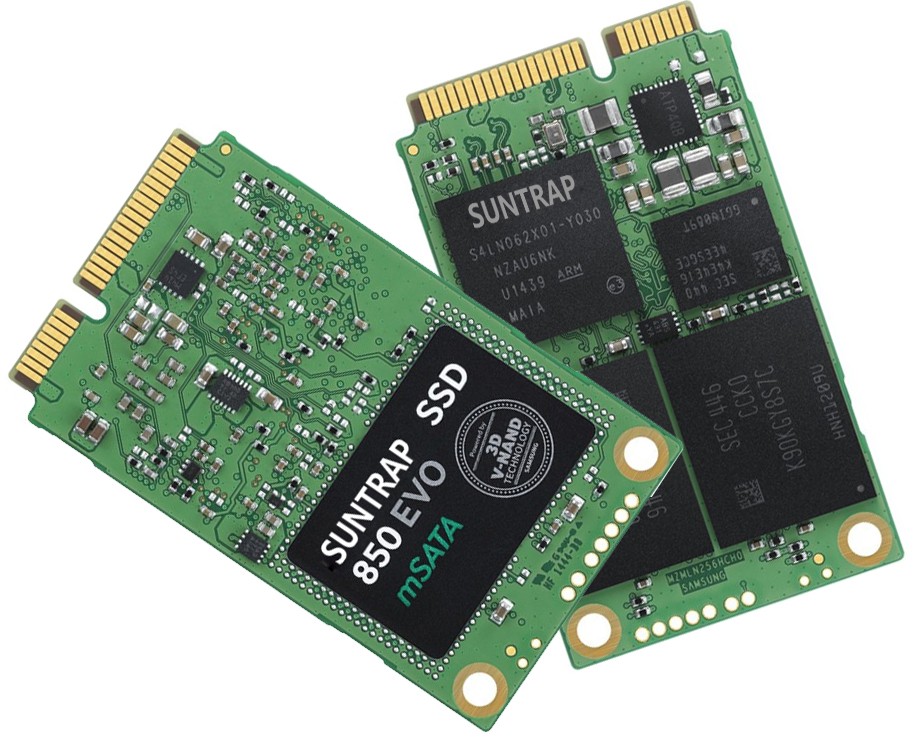
Three core internal components of standard SSD:
DRAM Cache (Optional): Temporary high-speed buffer for high-end SSD, boosts continuous read-write stability; entry-level SSD cancels DRAM to cut cost.
NAND Flash Memory: Core storage medium, stores all user data, mainstream types: SLC, MLC, TLC, QLC; common capacity:128GB/256GB/512GB/1TB/2TB/4TB.
SSD Controller: The drive’s CPU, responsible for data allocation, error correction, wear leveling to extend lifespan, firmware operation.
