
SSD (Solid-State Drive) is a modern non-volatile data storage device that stores digital data on flash memory chips instead of spinning mechanical platters. As the mainstream storage solution for consumer devices, business servers, and AI data centers in 2026, SSDs completely replace traditional HDD hard drives in most high-performance scenarios, delivering faster speed, higher stability, and lower power consumption.
Unlike classic hard disk drives that rely on moving read/write heads and rotating disks, SSDs have zero mechanical moving parts. All data reading and writing is completed through electronic circuits and NAND flash memory cells. This core structural difference is why SSDs have become the standard storage upgrade for all modern computing environments, from personal laptops to large-scale AI training clusters.
How Does an SSD Work? Core Mechanism Explained
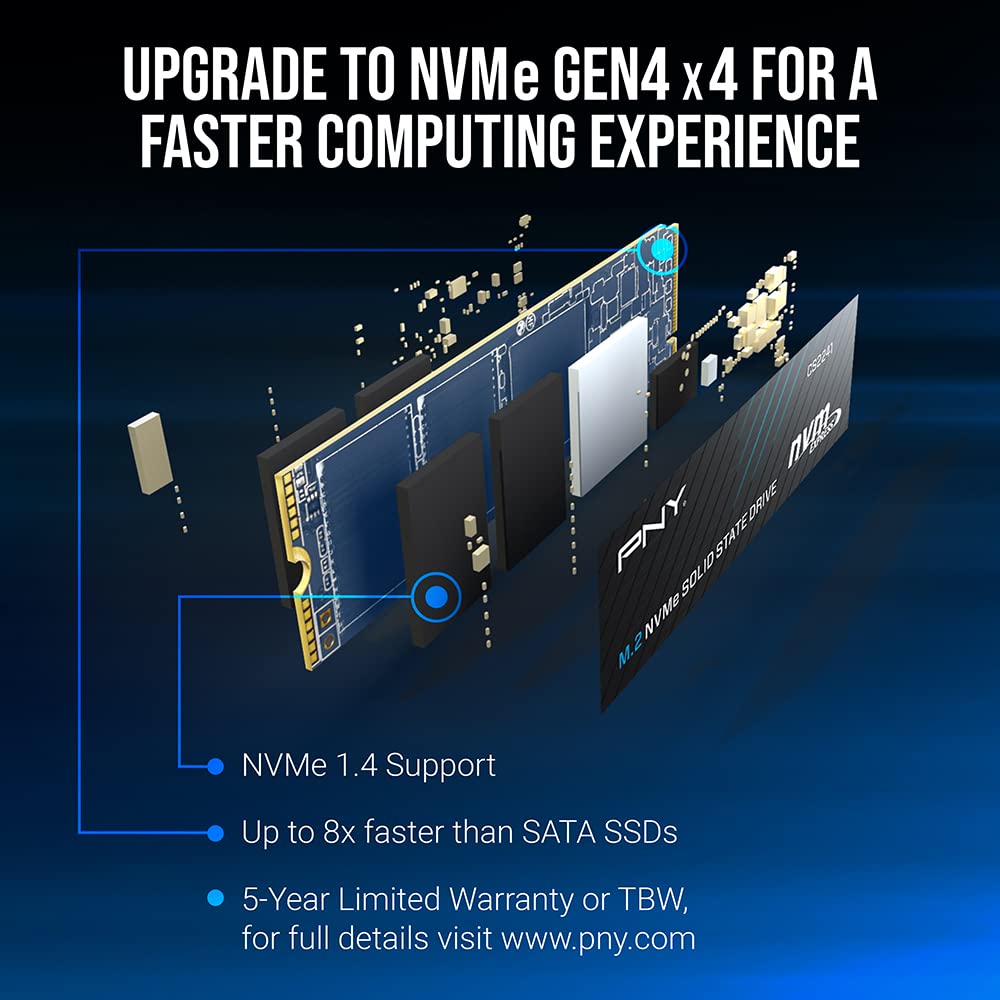
An SSD consists of two core components: an SSD controller and multiple NAND flash memory chips. NAND flash is a non-volatile storage medium that retains all stored data even after power is disconnected, different from volatile RAM that loses data after shutdown.
When users save, modify, or access files, the SSD controller calculates data addresses, manages read/write scheduling, error correction, and wear balancing. Data is stored in tiny memory cells inside the NAND flash chips through electrical charge storage. Since no physical movement is required, SSDs respond instantly to data requests and eliminate mechanical latency.
Key Differences: SSD vs HDD (Solid-State Drive vs Hard Disk Drive)
The gap between SSD and HDD defines modern storage performance tiers and determines device speed, durability, and service life.
- Structure: SSD uses pure electronic flash chips; HDD uses rotating magnetic disks and movable heads
- Speed: SSD delivers 500MB/s to 28GB/s throughput; traditional HDD is limited below 200MB/s
- Shock Resistance: SSD is anti-drop and anti-vibration; HDD is extremely fragile during operation
- Noise & Heat: SSD runs completely silent with lower heat output; HDD generates spinning noise and continuous vibration heat
- Power Consumption: SSD saves 30%–70% power compared to mechanical hard drives, ideal for servers and edge devices
- Random IO Performance: SSD achieves millions of IOPS; HDD can only process hundreds of random requests, making it unsuitable for databases and AI workloads
Main Types of SSD Interfaces & Form Factors
With the iteration of storage technology, SSDs have evolved into multiple interface standards and physical sizes to adapt to desktops, laptops, industrial terminals, and high-end data center hardware.
1. SATA III SSD
The earliest mainstream consumer SSD standard with a maximum speed of 550MB/s. It features excellent compatibility and low cost, suitable for old computer upgrades, office devices, and legacy server system disks.
2. M.2 NVMe SSD (PCIe 3.0 / 4.0 / 5.0)
The most popular mainstream specification for personal devices and small servers. It abandons SATA bandwidth limits and uses PCIe bus transmission, greatly improving game loading, system booting, and website response speed.
3. Enterprise U.3 / EDSFF E1.S / E3.S SSD
Professional data center SSD form factors, widely used in cloud servers, AI training clusters, and edge computing hardware. New-generation PCIe 6.0 enterprise SSDs adopt EDSFF slim layouts to support liquid cooling and high-density rack deployment.
SSD Flash Memory Types: SLC, MLC, TLC, QLC
Different NAND flash architectures determine SSD endurance, speed, and pricing, covering high-end enterprise scenarios and low-cost consumer markets.
- SLC: Single-level cell, highest durability, ultra-long service life, used for industrial and financial high-write devices
- MLC: Balanced performance and endurance, applied in early high-end enterprise storage
- TLC: Current mainstream standard, balancing speed, cost, and stability for consumer and mid-range data center SSDs
- QLC: High-capacity low-cost flash, suitable for warm data caching, backup storage, and static asset archiving
Core Advantages of Using SSDs in 2026
SSDs have become mandatory standard hardware for modern digital infrastructure due to their comprehensive advantages over traditional mechanical storage.
- Faster System Response: SSD shortens system boot time, program launch speed, and website page loading latency
- Higher Data Security: Shock-proof design reduces physical damage risks; built-in hardware encryption and sanitize erase functions support enterprise data compliance
- Lower Operation Cost: Low power consumption and low heat generation reduce server room electricity costs and cooling pressure
- Better Adaptability for AI & Cloud Workloads: High IOPS and high throughput eliminate GPU I/O bottlenecks, supporting vector databases, LLM training, and high-concurrency cloud services
Common Real-World SSD Use Cases
From personal daily use to commercial data center deployment, SSDs cover all storage scenarios in the digital industry.
- Personal Devices: Laptop and desktop system disks, game disks, and daily file storage
- Website & Cloud Servers: WordPress independent stations, e-commerce websites, and virtual machine cloud disks
- AI Data Centers: Hot data storage for model training, vector retrieval, and AIGC dataset caching
- Edge & Industrial Hardware: Edge AI boxes, intelligent monitoring NVR, and industrial control terminal storage
- Enterprise Backup Systems: High-speed temporary caching and secure data migration
FAQ About SSD (Solid-State Drive)
Q: Is an SSD faster than an HDD? A: Yes. SSDs are 5 to 100 times faster than traditional HDDs, especially in random read and write performance, which greatly improves system fluency and server concurrency capability.
Q: Do SSDs lose data without power? A: No. SSDs use non-volatile NAND flash memory, which permanently stores data even after power is cut off, different from computer RAM.
Q: What is the difference between consumer SSD and enterprise SSD? A: Enterprise SSDs feature higher DWPD endurance, power-loss protection, temperature resistance, and 7×24-hour continuous operation stability, suitable for data center and AI workloads.
Q: Can SSDs be used for long-term data archiving? A: SSDs are best for hot and warm data. For long-term cold data archiving, matching with low-cost nearline IA HDDs achieves the best TCO.
Conclusion
An SSD (Solid-State Drive) is the foundational high-performance storage hardware of modern computing infrastructure. By replacing mechanical magnetic disks with NAND flash chips, SSDs deliver unprecedented speed, stability, and energy efficiency for personal computing, web hosting, edge devices, and AI data centers. As PCIe 5.0 and PCIe 6.0 technologies continue to iterate in 2026, SSDs will further dominate enterprise all-flash storage and become the core carrier of global digital data assets.
